
Home » Data Capture » Proximity Terminals
Proximity Terminals Card or Fob Clocking Terminals
Chronicle Computing offers a range of Proximity devices to suit a variety of environment and requirements and also budgets. From Waterproof devices, low cost proximity units and self servicing terminals we have your environment and needs covered.
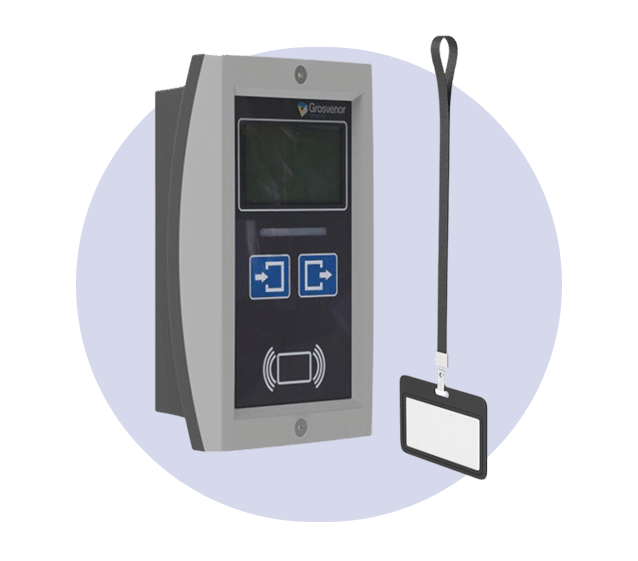
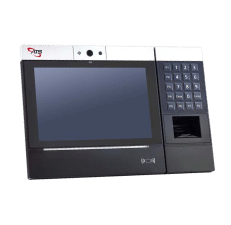
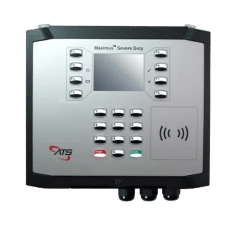
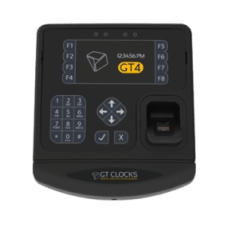
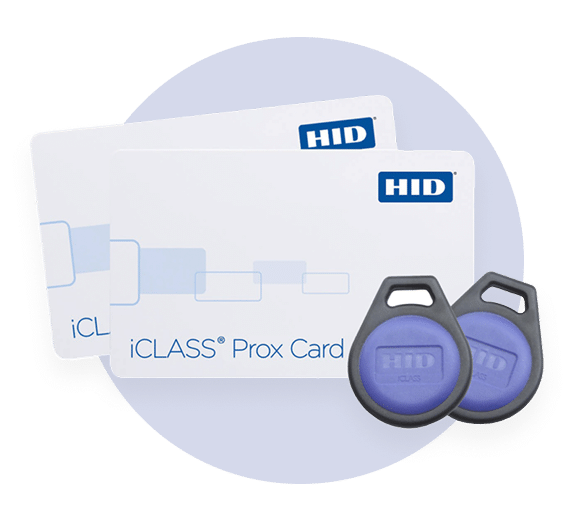
Choose from Mifare Cards, Fobs & Tags
Mifarecards and key fob for time and attendance and access control systems. Proximity technology in a convenient, pocket size device.
The proximity card keyfob easily attaches to a key ring, badge clip or lanyard. Built to withstand harsh operating environments or handling.
Ideally suited for use in time and attendance / access control applications
- Small enough to fit on a key ring.
- Visible in food scanners and other foreign body detection technology
- Robust, simple to use, non intrusive.
- Lifetime warranty.
Frequently Asked Questions
A proximity terminal allows employees to clock in and out using a contactless card, fob or compatible access credential.
The employee simply presents their credential to the terminal, which identifies them and records the clocking in Chronicle Online.
Each employee is assigned a unique proximity card, fob or compatible credential.
When the credential is presented to the terminal, the employee is identified and the clocking is recorded and transferred into Chronicle Online.
No. Proximity technology is contactless. The employee simply holds their card or fob close to the reader.
Clockings are normally recorded almost instantly, making proximity terminals suitable for busy entrances and shift changes where large numbers of employees may need to clock within a short period.
This depends on the terminal model and configuration.
Chronicle can provide compatible cards and fobs, and in some cases existing customer access cards may also be compatible.
Compatibility should always be confirmed before deployment.
Potentially, yes.
If the existing card technology is compatible with the Chronicle terminal, employees may be able to use the same credential for both access control and time and attendance.
Chronicle can help determine compatibility before implementation.
Yes. Each employee should be assigned their own unique credential so that Chronicle can identify who is making the clocking.
Cards should not be shared.
Each card or fob should be uniquely assigned to an individual employee. Sharing credentials would undermine the accuracy of the attendance record.
Proximity terminals reduce manual entry but cannot completely prevent one employee from presenting another employee’s card.
Where stronger identity verification is required, facial biometric terminals may be more appropriate.
The organisation can decide how forgotten cards should be handled.
Depending on the customer’s Chronicle setup, alternative clocking methods may include:
- A temporary replacement card
- Manual clocking by an authorised manager
- Desktop clocking
- Mobile app clocking
- Another approved terminal
A lost card can be removed or reassigned within the system so that it is no longer associated with the employee.
A replacement card can then be issued and linked to the employee’s Chronicle record.
Once a lost credential has been disabled or removed from the employee record, it should no longer be accepted as that employee’s attendance credential.
Customers should report and disable lost cards as soon as possible.
Yes.
A proximity card can normally be reassigned to another employee once it has been removed from the previous employee’s record and reconfigured appropriately.
No.
Standard proximity cards and fobs identify the credential rather than the employee’s physical characteristics, so they do not involve facial or fingerprint biometric identification.
The card identifier becomes associated with an employee’s attendance record, so the resulting clocking and attendance information is personal data.
It should therefore be handled in accordance with the organisation’s normal data-protection policies.
Depending on the terminal and configuration, the terminal may confirm that the employee has been recognised and may display information associated with the clocking.
The available display options depend on the hardware model.
Yes.
Proximity terminals can be used to record employee attendance events such as:
- Clocking in
- Clocking out
- Starting or ending breaks
- Other configured attendance transactions
The exact options depend on the customer’s Chronicle setup.
Yes.
Multiple proximity terminals can be installed across different departments, buildings and locations while attendance is managed centrally through Chronicle Online.
Yes, where the employee is authorised to use those terminals.
An employee can use their assigned credential across multiple Chronicle terminals and locations, subject to the customer’s configuration.
Yes.
Customers commonly install terminals at different entrances, production areas, warehouses, offices or staff access points to make clocking convenient for employees.
The terminal requires network connectivity to communicate with Chronicle.
Depending on the hardware and configuration, clockings may also be stored locally during temporary communication interruptions and transmitted once connectivity is restored.
Where supported by the terminal, clockings can be retained locally until the connection is restored.
This helps ensure employees can continue clocking during short-term connectivity issues.
The terminal communicates with Chronicle and sends recorded transactions into the employee’s attendance record.
These clockings can then be used within timesheets, shifts, exceptions, absence processes and payroll calculations.
Yes.
A customer can use proximity terminals alongside other authorised Chronicle clocking methods, including:
- Facial biometric terminals
- Mobile app clocking
- Desktop clocking
- Other compatible terminals
All authorised clockings can feed into the same Chronicle Online environment.
Yes.
Chronicle can compare clockings against scheduled working patterns and identify attendance exceptions such as lateness, early departures, missed clockings and other configured exceptions.
Yes.
Proximity terminals are commonly used in manufacturing, warehousing, logistics and other environments where employees need a fast and straightforward clocking method.
The suitability of a specific terminal will depend on the physical installation environment.
Yes.
Proximity terminals are also well suited to offices and other commercial environments, particularly where staff already carry access cards or identification badges.
Proximity terminals provide:
- Fast employee clocking
- Contactless operation
- Simple employee identification
- Easy-to-use cards or fobs
- High throughput during shift changes
- No usernames or passwords required
- Compatibility with multi-site environments
- Integration directly into Chronicle Online
- A straightforward alternative to biometric clocking
It depends on the organisation’s requirements.
Proximity terminals are simple, fast and do not involve biometric identification. Facial biometric terminals provide stronger assurance that the individual making the clocking is actually the employee concerned.
Some organisations therefore prefer proximity cards for simplicity, while others choose biometrics where preventing buddy clocking is particularly important.
Yes.
Chronicle can help determine the most appropriate terminal based on employee numbers, working environment, existing card technology, number of sites, security requirements and preferred clocking method.
Yes.
Chronicle can provide compatible proximity credentials alongside the terminal implementation, subject to the terminal model selected.

