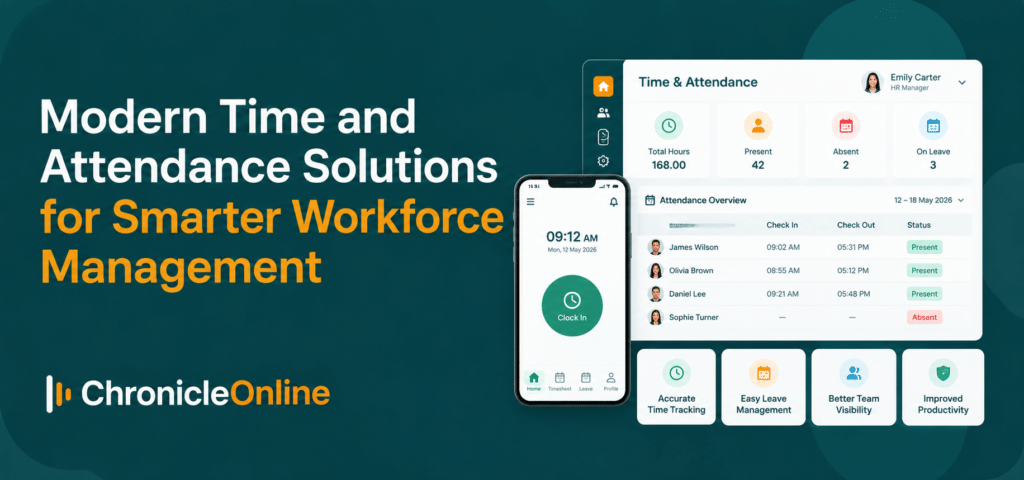
Quick Answer: Time and attendance software UK employers use records when people start, finish and take breaks, then turn those clockings into timesheets, overtime, absence data and clean payroll figures. A good system also helps you evidence working time rules, supports flexi time working with automatic balances, and offers clocking options that suit your sites, such as cards, fingerprint or facial terminals, or a phone app. Choose one that links to payroll and scheduling, keeps data secure, and gives staff a fair alternative if you use biometrics.
Introduction
Every payroll run has a moment of truth. Someone forgot to clock out. A shift swap was agreed in a corridor. A supervisor’s handwritten sheet has a number nobody can read.
Fixing those gaps by hand takes hours, and the mistakes cost real money. That is why more UK employers are looking at time and attendance software UK suppliers have built for exactly this job.
This guide explains what the software does, which features matter, how the law on working time fits in, and how flexi time working changes the requirements. It also covers clocking methods, costs and the questions to ask before you sign.
What is time and attendance software?
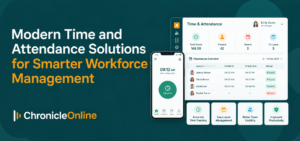
Time and attendance software records the hours people actually work and applies your rules to them. Employees clock in and out on a wall terminal, a phone or a browser. The system then calculates hours worked, breaks, lateness, overtime and shift premiums, and flags anything unusual before payroll is run.
Think of it as the factual record of the working day. Rotas say what was planned; HR records say what was agreed in the contract; time and attendance shows what happened.
How it differs from a rota or HR system
• Rota or scheduling tools plan who should work and when.
• HR software holds contracts, personal details and employment history.
• Time and attendance captures the real hours, then compares them with the plan.
The best set-ups connect all three, so a late arrival, a holiday request and a shift change appear in one place instead of three.
Why UK employers are switching from paper and spreadsheets
Paper timesheets feel cheap until you count the hours spent checking them. The pressure to move comes from three directions.
1. Labour cost and payroll accuracy
Wages are usually the biggest cost in a business, and small errors repeat every week. Rounding habits, unrecorded overtime and mistaken break deductions add up. Chronicle says its customers can reduce payroll admin from days to hours and cites savings of 3 to 5 per cent of the annual wage bill as achievable, though results will vary by business.
2. Working time records
The Working Time Regulations 1998 set a 48-hour average weekly limit (unless a worker has opted out), a 20-minute break when the working day exceeds six hours, 11 hours’ rest between working days, and weekly rest. According to Acas, employers do not have to record every daily hour, but they must keep records that prove the weekly limit and night work rules are being met, and keep them for two years.
Reliable clocking data makes that proof straightforward. Rebuilding it from memory after a complaint is not.
3. Holiday records
From 6 April 2026, employers must also keep adequate holiday records for six years under the Employment Rights Act 2025, with the new Fair Work Agency enforcing. Time and attendance data that links to holiday and absence helps you meet that duty without a separate spreadsheet.
The features that matter most
Feature lists are long and most of it is padding. These are the capabilities that decide whether a system gets used.
Flexible clocking
Look for several ways to capture time, so one workforce can use different methods. Office staff may use cards while production teams use fingerprint terminals, and remote staff clock in from a phone.
Configurable overtime and break rules
Check for daily, weekly and monthly overtime, weekend multipliers, and alerts when breaks are missed or run short. Rules should be set once, not corrected by hand each week.
Live data and exception alerts
Managers should see lateness, no-shows and missed hours as they happen, not at month end.
Shift and roster planning
Comparing planned hours with actual clockings shows where cover or cost is drifting.
Holiday and absence
Booking rules, black-out periods, sickness calculations and a Bradford Factor view help you manage absence consistently.
Payroll and accounts integration
Approved hours should flow into payroll without re-keying. Chronicle lists integrations with providers including Sage, Xero, QuickBooks, SAP, Pegasus, Shape Payroll and MHR, plus an open API and CSV import and export.
Multi-site support
If you run several sites, check that each can have its own holiday, shift and overtime rules without needing separate systems.
Choosing the right way for staff to clock in
Hardware and apps are not interchangeable. The right choice depends on the environment and the risk you are trying to manage.
• Card or fob terminals: quick and familiar. A card can be passed to a colleague, so they suit trusting environments or areas with supervision.
• Fingerprint terminals: tie the clocking to the individual, which discourages buddy punching and removes lost cards.
• Facial recognition: contactless, which helps where hands are dirty, gloved or hygiene matters.
• Waterproof terminals: built for wash-down areas such as food production and outdoor sites.
• Smartphone clocking: suits remote and mobile teams. Chronicle’s phone app can check location and raise an alert when someone clocks in outside an agreed area.
A note on biometrics
Fingerprint and facial systems use biometric data, which is special category data under UK GDPR when used to identify someone. In 2024 the ICO ordered a leisure operator to stop using facial recognition and fingerprint scanning for staff attendance, partly because employees were not given a clear alternative.
So before installing biometrics, record why they are necessary, complete a data protection impact assessment, and offer a PIN or card for anyone who prefers it.
Flexi time working and why software matters
Flexi time working lets people choose their start and finish times around agreed core hours, as long as they complete their contracted hours over a set period. A typical scheme might have core hours from 10am to 4pm and a four-week balancing period.
It is popular because staff value control over their day. It is also now routine to be asked for it: since 6 April 2024, every employee has had the right to request flexible working from day one. Employees can make two statutory requests in 12 months, and employers must consult before refusing and respond within two months. There is no standalone right to flexi time itself, so you may still refuse for a valid business reason.
Where flexi schemes go wrong
• Hours are tracked in spreadsheets that nobody trusts.
• Staff cannot see their own balance, so disputes follow.
• Banked hours are mistaken for overtime and paid twice.
• Different teams apply different rules.
What the software should do
• Calculate credits and debits against contracted hours automatically.
• Apply caps on hours carried forward, in credit or debit.
• Support time off in lieu (TOIL) and clawback calculations.
• Show employees a live balance through self-service.
Chronicle’s flexi time module is built around those rules. For the policy side, including core hours, caps and who qualifies, see its guide to flexi time working for UK employers.
Bringing scheduling, time and payroll together
Errors multiply wherever data is copied by hand. A rota built in one tool, hours recorded in another and pay processed in a third means three chances to disagree.
Linking scheduling software to your clocking data lets you compare plan and actual hours, spot overstaffing, and send only approved hours to payroll. Manager sign-off before the pay run is a simple control that prevents most disputes.
How to choose time and attendance software
1. Map your working patterns. Shifts, flexi time, annualised hours, split shifts and night work all need different rules.
2. List the sites and devices. Include offices, depots, vehicles and home workers.
3. Write down your rules. Overtime, breaks, rounding, lateness and holiday should be documented before configuring anything.
4. Check integrations. Your payroll and HR systems must be supported, ideally without manual files.
5. Trial it with awkward cases. Load a night worker, a part-timer and someone on flexi time.
6. Judge the support. Look for setup help, training material and a human on the phone.
7. Roll out in stages. Start with one site or team, then extend.
Questions to ask every supplier
• Where is our data hosted, and who can access it?
• Which security certifications and independent tests can you show us?
• Is the company registered with the ICO, and is there a named data protection officer?
• What happens to biometric data when someone leaves?
• How are overtime, break and flexi rules configured, and who sets them up?
• What are the support hours, and is training included?
• Can we export our data if we leave?
As an example of the detail to expect, Chronicle says it hosts data in Microsoft Azure, has had Chronicle Online penetration tested by a third party, holds Cyber Essentials certification and has a named data protection officer. It also offers a support line on weekdays, 200-plus knowledge base articles and monthly webinars. Ask every supplier on your shortlist for the same.
What does it cost?
Prices vary with headcount, modules and hardware, so compare like with like. Typical cost elements are:
• A monthly or annual subscription, often per employee
• Optional modules such as scheduling, job costing or flexi time
• Clocking terminals, if you use them
• Set-up, data import and training
• Support and any charges for changes
Ask for a three-year view rather than a headline monthly rate. You can check how Chronicle structures its plans on the pricing page.
Common mistakes to avoid
• Skipping the policy work. Software applies rules; it cannot invent them.
• Ignoring staff communication. Explain what is changing, why, and how to clock in. Be especially clear about biometrics.
• Over-buying hardware. Start with the areas that need it, then add.
• Not reviewing rules. Check overtime, break and flexi settings each year and when the law changes.
This article is general information, not legal advice. For decisions on biometrics, contracts or disciplinary action, speak to a qualified employment or data protection adviser.
Conclusion
The best time and attendance software UK businesses can choose is not the one with the most features. It is the one your managers use, your staff trust, and your payroll team can rely on.
Start with your working patterns and your rules. Check the legal basics, choose clocking methods that fit each site, and test with real, awkward data. If flexi time working is on your horizon, make automatic balances a requirement from day one.
Frequently asked questions
What is time and attendance software?
It is a system that records when employees start, finish and take breaks, applies your pay and working time rules, and passes accurate hours to payroll. Most modern versions are cloud-based and work on terminals, phones and browsers.
Do UK employers have to record working hours?
Not every daily hour, but employers must keep records that show the 48-hour weekly limit and night work limits are being met, and keep them for two years, according to Acas. Many employers record all hours anyway because it supports pay accuracy.
How much does time and attendance software cost in the UK?
It depends on headcount, modules and hardware. Most suppliers charge a subscription, often per employee, with extra for terminals and set-up. Ask for a three-year cost estimate before comparing.
Can software manage flexi time working?
Yes. Good systems track hours against contract, apply carry-over caps, handle TOIL and show employees a live balance. That removes the spreadsheet work that causes most flexi disputes.
How do you stop buddy punching?
Use clocking that ties the entry to the person, such as fingerprint or facial terminals, or phone clocking with location checks. Biometrics need a data protection impact assessment and a genuine alternative for staff.
Does it connect to payroll?
Most systems do, through an API or file export. Check that your payroll provider is supported and whether approved hours flow in automatically.