Quick Answer: HR software management means running your everyday people tasks in one secure, cloud-based system: employee records, holiday and absence, onboarding, documents, reporting and the data that feeds payroll. For UK businesses it also helps you meet record-keeping duties, including the six-year holiday records rule that started on 6 April 2026. Pick a system that matches your headcount, connects to time and attendance and payroll, protects data under UK GDPR, and offers a non-biometric option if you use a terminal fingerprint reader for clocking in.
Introduction
Ask a small business owner where the holiday balances live and you will often get a pause. Then comes the answer: a spreadsheet, a wall planner and, if things are going well, someone’s memory.
That works until it doesn’t. A part-time starter is given the wrong entitlement. A sickness record goes missing. A manager asks who is a trained first aider and nobody can say for sure.
This guide explains how HR software management works in practice, what to look for, what the law now expects of UK employers, and where clocking-in hardware such as a fingerprint terminal fits into the picture. It also flags the legal points that are easy to get wrong.
What is HR software management?
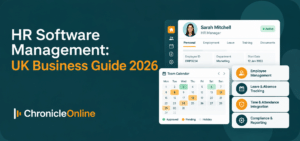
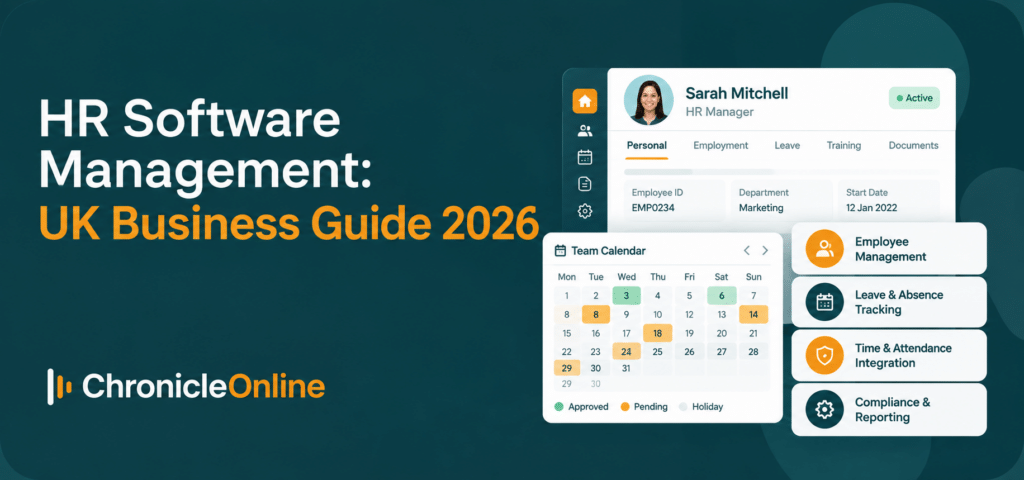
HR software management is the practice of using one digital platform to store, process and report on your people’s data. Instead of separate spreadsheets, paper files and email chains, every employee has one record that HR, managers and the employee can use, each with the right level of access.
In most modern systems you will find:
• Employee records: names, addresses, next of kin, contracts, start dates and pay history.
• Holiday and absence: entitlements, accruals, requests, approvals and sickness, including statutory sick pay records.
• Onboarding and offboarding: checklists so nothing is missed when someone joins or leaves.
• Documents and alerts: secure storage, plus reminders for appraisals, expiring certificates and training renewals.
• Reporting: headcount, absence trends, departmental views and audit trails.
• Self-service: staff book leave and update their own details from a phone or browser.
HR software, HRIS and HCM: what is the difference?
The terms overlap, and vendors use them loosely. An HRIS (human resource information system) is essentially the employee database plus workflows. HCM (human capital management) usually adds recruitment, performance and learning. “HR software” is the everyday umbrella term. For a growing UK business, the label matters far less than whether the system covers the jobs you actually do.
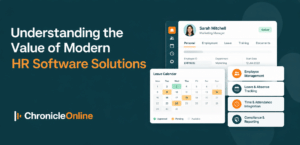
If you want a plain-English view of what a modern system replaces, Chronicle’s article on the value of modern HR software solutions is a useful companion read.
Why UK businesses are taking HR software management seriously now
Software used to be a convenience. It is increasingly a way to show you are compliant.
From 6 April 2026, the Employment Rights Act 2025 requires employers to keep records that are adequate to show they have met their annual leave obligations, and to keep them for six years. The duty covers all workers, including part-time, zero-hours and agency staff. It is not retrospective, so records from before April 2026 are not required, but gaps from that date onwards are a problem.
The new Fair Work Agency began operating in April 2026 with powers to inspect and enforce, and employment lawyers have warned that failing to keep adequate records can be a criminal offence. Underpaid holidays can also be recovered with an added penalty.
A shared spreadsheet that three people edit is hard to defend in that setting. A system with a time-stamped audit trail is much easier to stand behind. Chronicle’s piece on why UK employment law is so hard to turn into HR software explains why rules like these need careful configuration rather than a one-size-fits-all switch.
The core features to look for
Feature lists run to dozens of items. These are the ones that tend to matter in daily use.
1. A single, secure employee record
Everything about a person should hang off one record: contract, pay changes, notes, documents, medical information, disciplinary and appraisal history. Look for custom fields, so you can track what is unique to your business, and department grouping so reports are easy to build.
2. Holiday and absence rules that fit your contracts
Accruals should work by hours or length of service, and cope with part-time and variable-hours staff. Staff should be able to request time off in days, hours or even minutes. Managers should see clashes before they approve.
3. Employee and manager self-service
Self-service moves routine admin to the people best placed to do it. Staff update their own address or bank details and book leave; managers approve from their phones. Fewer emails to HR, and fewer out-of-date records.
4. Workflows, alerts and reminders
Good software does the nagging so you don’t have to. Think alerts for missed breaks, expiring first-aid certificates, overdue appraisals or probation reviews.
5. Payroll and accounting links
Re-keying data between systems is where errors creep in. Check whether the software connects to your payroll or accounts package through an API or file export, and which ones. Chronicle, for instance, lists integrations with providers such as Sage, Xero, QuickBooks and MHR, and can import and export CSV files.
6. Reporting and audit trails
You should be able to answer “who changed this, and when?” in seconds. Scheduled reports on absence, lateness and headcount help you spot patterns early.
Where time and attendance fits into HR software management
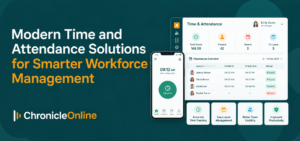
HR records say what someone is contracted to do. Time and attendance data shows what actually happened. Joined up, the two feed timesheets, overtime, breaks, lateness and absence without anyone copying figures across.
That matters most in shift-based work such as manufacturing, hospitality, care and logistics, where overtime rules and break entitlements are fiddly. Look for daily, weekly and monthly overtime rules, alerts when breaks are missed, and support for several sites with different rules.
Clocking can happen on a wall terminal, a phone app or a tablet. Many employers mix methods: office staff using cards or fobs, while warehouse or production teams use biometrics.
Terminal fingerprint clocking: benefits and legal care
A terminal fingerprint reader confirms that the person clocking in is the person on the roster. That is its main appeal. A card or PIN can be handed to a colleague; a finger cannot. It also removes the cost and hassle of lost cards and forgotten PINs.
Here is how it generally works. At enrolment, the reader picks out distinctive features of the fingerprint and converts them into a digital template. Later scans are matched against that template. Chronicle states that its units create a template rather than storing an image, and that the template is not suitable for law-enforcement fingerprint matching. You can read more on its biometric terminals page.
The legal point many employers miss
Under UK GDPR, biometric data used to identify someone is special category data. That means you need a lawful basis and an additional condition for processing, and a data protection impact assessment (DPIA) is the sensible starting point.
The ICO has shown it will act. In February 2024 it ordered Serco Leisure and associated trusts to stop using facial recognition and fingerprint scanning to monitor attendance for more than 2,000 employees across 38 leisure facilities. The regulator said the company had not shown the technology was necessary or proportionate compared with less intrusive options such as cards or fobs, and that staff were not offered a clear alternative. The company was told to stop the processing and destroy the biometric data it was not legally required to keep.
This is not a ban on biometrics. It is a reminder that you must justify them and give people a real choice.
A practical checklist before installing a fingerprint terminal
• Write down the problem. Is buddy punching actually happening, and could a cheaper method solve it?
• Complete a DPIA and record your lawful basis and special category condition.
• Offer a genuine alternative, such as a PIN or card, and make sure staff know it exists.
• Explain in plain language what is stored, where, for how long, and how it is deleted.
• Set a retention rule and delete templates when someone leaves.
• Check that the vendor can demonstrate security controls for the terminal and the hosted system.
How to choose HR software: a step-by-step approach
1. List your pain points. Missed holiday clashes, payroll corrections, chasing paperwork. Rank them. These become your must-haves.
2. Count your headcount and sites. A system for 25 staff on one site is not always right for 250 across four.
3. Check the integrations. Payroll, accounting, access control and clocking devices should connect without heroics.
4. Test on real data. Ask for a free trial and load a few real employees, including awkward ones such as part-timers and joiners mid-year.
5. Look at support. Read independent reviews and ask how quickly questions are answered. Setup and training quality often decides whether software gets used.
6. Ask about security. See the questions below.
7. Pilot, then roll out. Start with one team or one process, fix what you find, then extend.
Questions to ask any HR software vendor
• Where is our data hosted, and who can access it?
• Which security certifications and independent tests can you show us?
• Is there a named data protection officer, and is the company registered with the ICO?
• How do you handle data export and deletion if we leave?
• What are the support hours, and who actually answers the phone?
• How are holiday and absence records retained, and for how long?
• Can we mix clocking methods, and can staff opt out of biometrics?
As an example of the answers to look for, Chronicle says it hosts data in Microsoft Azure, has had its software penetration tested by an independent firm, holds Cyber Essentials certification, is registered with the ICO and has a named data protection officer. Ask every vendor on your shortlist to give you the same level of detail.
What does HR software cost?
Pricing varies, so avoid comparing headline figures alone. Most UK vendors charge per employee, per month, and some add charges for modules, set-up or training. Build a three-year view that includes:
• Subscription or licence fees, including any minimum spend
• Extra modules such as scheduling, job costing or visitor management
• Hardware, such as clocking terminals, if you need them
• Implementation, data import and training
• Support levels and any charges for changes
You can see how Chronicle structures its plans on the pricing page.
Common mistakes to avoid
• Migrating messy data. Tidy your spreadsheets first. Duplicates and old entitlements will follow you into the new system.
• Skipping the policies. Software enforces rules; it does not write them. Agree your holiday, overtime and absence policies before configuring.
• Forgetting your people. Tell staff what is changing and why, particularly if clocking-in methods or biometrics are involved.
• Treating it as a one-off. Review settings each year, especially when employment law changes.
Software supports good practice, but it is not legal advice. For decisions on a lawful basis, consent or disciplinary processes, speak to a qualified employment or data protection adviser.
Conclusion
Good HR software management is not about owning the longest feature list. It is about having one reliable record of your people, rules your managers can follow, and evidence you can produce when asked.
Start with your biggest daily headaches, check the legal basics, and test with real data. If you add clocking hardware, think carefully about whether a terminal fingerprint reader is justified, and always offer an alternative.
Frequently asked questions
What is HR software management?
It is the use of a single digital system to manage employee records, holiday, absence, onboarding, documents and reporting, and to pass accurate data to payroll. It replaces spreadsheets and paper files with one secure source of truth.
What is the best HR software for a small business in the UK?
There is no single best option. The right choice depends on headcount, sector and budget. Look for a cloud system that handles holiday and absence for part-time and variable-hours staff, links to payroll and clocking, and offers responsive UK support. A free trial with your own data is the fairest test.
How much does HR software cost?
Most providers charge per employee per month, with extra costs for modules, hardware, set-up and training. Ask for a three-year cost estimate rather than a headline monthly rate.
Does HR software include payroll?
Sometimes. Some platforms bundle payroll; others connect to a separate payroll or accounting package. Check which integrations are available and whether data flows automatically or by file upload.
Is fingerprint clocking legal in the UK?
It can be, but it carries obligations. Biometric data used to identify a person is special category data under UK GDPR, so you need a lawful basis, an extra condition, a DPIA and clear information for staff. The ICO expects you to show the method is necessary and proportionate.
Can employees refuse to use a terminal fingerprint scanner?
Employers should provide a clear alternative, such as a PIN or card, for staff who do not wish to use biometrics. The ICO’s Serco Leisure decision highlighted the absence of a genuine alternative as a key concern. Take legal advice on your own circumstances.