Quick Answer
A modern HR software solution replaces spreadsheets, paper files, and email chains with one secure system for employee records, holiday, absence, appraisals, and compliance. Its value comes from three places: less admin for HR, fewer costly errors in payroll and record-keeping, and a better day-to-day experience for staff through self-service.
For most UK organisations, it pays back fastest when it is joined up with a workforce management system that captures attendance and scheduling, so that holiday, sickness and hours worked all live in the same place.
Introduction
Ask an HR manager what they spent last Tuesday doing and the answer is rarely “strategy”. It is usually chasing a signed contract, correcting a holiday balance or hunting for the latest version of a spreadsheet that three people have edited.
That is the quiet cost of running people processes by hand. It is not dramatic. It simply drains hours, invites mistakes, and leaves you exposed when someone asks a question you cannot answer quickly, such as how much leave an employee has taken this year.
This guide breaks down what these platforms actually do and where the value shows up. It explains what they actually do, where the value shows up, how it differs from time and attendance tools, and how to choose and introduce one without disrupting your team. It draws on the way UK employers really use these tools, and it flags the legal points that matter for 2026.
What Is an HR Software Solution?
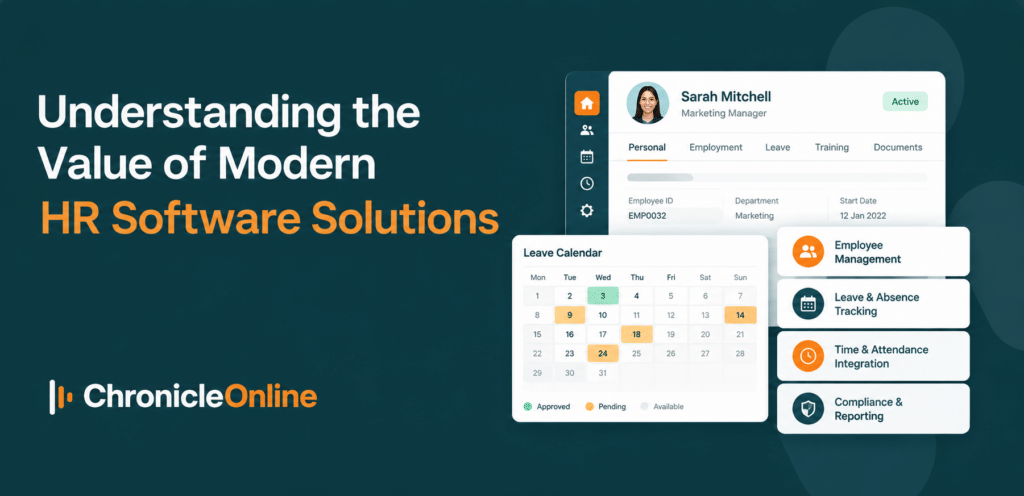
An HR software solution is a cloud-based platform that holds your people data and automates the routine processes around it. Think of it as a single, secure source of truth for everything HR touches, from a new starter’s bank details to a leaver’s final holiday balance.
Most platforms cover the same core ground:
• Employee records: personal details, contracts, next of kin, job history and pay changes
• Leave and absence: holiday requests, sickness, statutory sick pay and accrual rules
• Documents: contracts, right-to-work evidence and certificates, stored with role-based access
• Performance: appraisals, goals, reviews and disciplinary records
• Workflows and alerts: onboarding checklists, expiry reminders and automatic notifications
• Reporting: absence trends, headcount and compliance evidence on demand
A good example is Chronicle’s HR software, which is delivered as cloud software hosted in Microsoft Azure, so there are no servers to buy or maintain and staff can use it from any browser, tablet or phone.
Key Features and What They Are Worth
Features only matter if they remove a task or a risk. The list below links common capabilities to the practical benefit you should expect.
• Centralised employee records – What it does: Stores personal, contract and pay history in one database. Why it matters: No more lost files or conflicting versions
• Employee self-service – What it does: Staff book leave and update their own details. Why it matters: Fewer queries to HR and fewer typing errors
• Absence and holiday tracking – What it does: Applies accrual rules and shows live balances. Why it matters: Accurate entitlement and cleaner payroll
• Automated alerts – What it does: Flags expiring right-to-work, training, and probation dates. Why it matters: Deadlines are not missed
• Appraisal and disciplinary records – What it does: Logs reviews, outcomes and cases securely. Why it matters: Consistent, defensible HR handling
• Reporting and dashboards – What it does: Filters absence and headcount by site or team. Why it matters: Decisions based on data, not guesswork
Where the Real Value Shows Up
1. Time returned to HR and managers
Manual HR is mostly repetition: keying the same data into several places, answering the same holiday question, and compiling the same monthly report. Automating those tasks does not remove the need for HR professionals. It moves their time from data entry to the conversations that need a person, such as coaching, retention, and difficult cases.
2. Fewer payroll and record-keeping errors
Holiday, sickness and pay changes all feed into payroll. When the figures are typed in by hand, small slips become incorrect payslips and awkward corrections. Connecting your HR data to payroll, for example through integrations with systems such as Xero, Sage or Staffology, means the numbers are entered once and reused everywhere.
3. Compliance you can evidence
UK employers are working through a lot of change. The Employment Rights Act 2025 is being introduced in stages through 2026 and 2027, and from 6 April 2026 employers must keep clearer records of holiday and holiday pay. Chronicle’s guide to UK holiday and holiday pay record-keeping explains what that means in practice, and its Employment Rights Act checklist for small businesses is a useful place to start if you are unsure what applies to you.
Data protection matters just as much. Look for encrypted storage, access controls and audit trails, and check that the supplier is registered with the Information Commissioner’s Office (ICO) and holds a recognised certification such as Cyber Essentials.
4. A better experience for employees
Nobody enjoys emailing HR to ask how many days they have left. With employee self-service, people can book time off, check balances and update their own details from their phone. Managers approve requests in a click. It is a small change that removes a surprising amount of friction on both sides.
Expert tip
Before you buy anything, count how many places a single holiday request currently touches. If the answer is three or more (an email, a spreadsheet and a payroll form, say), you have found your business case. The value of software is the number of duplicate entries it removes.
HR Software vs a Workforce Management System
The two terms are often used interchangeably, but they solve different problems. HR software looks after the employee record and the people processes around it. The other deals with time: who worked, when, where and for how long.
• Main focus – HR software: People records, policies and lifecycle. Workforce management: Hours, rotas, attendance and labour cost
• Typical data – HR software: Contracts, appraisals, absence, documents. Workforce management: Clocking data, shifts, overtime, breaks
• Main users – HR software: HR teams, managers, employees. Workforce management: Operations, supervisors, payroll
• Key outputs – HR software: Compliance records, HR reports. Workforce management: Timesheets, payroll-ready data, cost reports
• Best when joined up? – HR software: Yes, absence and holiday flow both ways. Workforce management: Yes, contracts and entitlements drive the rules
The strongest set-ups connect the two. When holiday is booked in the HR system automatically blocks a shift in the rota, or when sickness is recorded once updates payroll; you avoid the double entry that causes most errors. If you are weighing this up, it is worth reading how a joined-up workforce management system handles attendance, scheduling and HR together.
Already have an HR platform you are happy with? You do not necessarily need to replace it. Chronicle’s article on syncing holiday and absence data between SelectHR and Chronicle shows how two systems can share one accurate record.
How to Choose the Right Platform
Feature lists look similar from one supplier to the next, so judge them on fit and evidence. Use this checklist when comparing options:
• Fit for your size: does it suit 20 employees or 2,000, and can it handle several sites and different holiday rules?
• Integrations: does it connect to your payroll, accounting and any existing HR or time systems?
• Security and certification: look for UK hosting information, penetration testing, Cyber Essentials and a named data protection officer.
• Ease of use: can a new manager approve leave without training? Ask for a trial rather than relying on a demo.
• Support and onboarding: is training included, and can you speak to a person quickly?
• Transparent pricing: check whether costs scale per employee and whether updates are included.
Common Mistakes to Avoid
Most disappointing rollouts fail for ordinary reasons, not technical ones:
• Buying for the demo, not the daily job. Ask the people who will use it every week to test it.
• Moving messy data across untouched. Clean your records first. Old errors do not fix themselves in a new system.
• Skipping the policy work. Software applies rules. It cannot decide them for you, so agree on your holiday and absence policies first.
• Forgetting managers. If line managers are not comfortable with approvals, HR ends up doing the work anyway.
• Treating go-live as the finish line. Review reports after 90 days and adjust the set-up.
A Simple Implementation Plan
1. Audit what you have. List every spreadsheet, folder and system that holds people’s data.
2. Agree what “good” looks like. Pick two or three measurable goals, such as time spent on holiday admin or payroll corrections per month.
3. Clean and import data. Correct records before you migrate them, then import in bulk.
4. Run a short pilot. Try one team or site for a few weeks and gather feedback.
5. Train and launch. Give managers and staff a short walkthrough and a named contact for questions.
6. Review at 90 days. Check your goals, refine alerts and reports, and switch on further modules if they are needed.
Ready to see it in action?
If you would like to see how employee records, holiday and absence fit together in one place, you can explore Chronicle’s HR software or speak to the team about your set-up. A free trial is available, so you can test it with your own data before making a decision.
Conclusion
Modern HR software is not a luxury for large employers. It is a practical way to stop losing time to admin, reduce avoidable errors and keep the records you now need to hold. The value is clearest when it is joined up with attendance, scheduling and payroll, because then each piece of information is entered once and trusted everywhere.
Start by finding where your people’s data is duplicated today, choose a supplier that can prove its security and support, and roll out in small steps. If you would like a second opinion on your set-up, the team at Chronicle Online is happy to talk it through, and you can see how the platform works before you commit to anything.
Frequently Asked Questions
What are the benefits of HR software?
The main benefits are less manual admin, more accurate records, quicker access to information and stronger compliance. Employees also gain from self-service for holiday and personal details, and managers spend less time chasing paperwork. Over time, the reporting helps you spot absence patterns early.
What does HR software actually do?
It stores employee data securely and automates common processes such as leave requests, absence recording, onboarding checklists, appraisals and document storage. It also sends alerts for expiry dates and produces reports for audits, board packs and payroll.
Is HR software worth it for a small business?
Usually yes, once you have more than a handful of staff. Small firms often feel the pain of spreadsheets most, because one person does everything. A cloud system with a per-employee cost scales with you, and the time saved on holiday and absence is often noticeable within the first few months.
What is the difference between HR software and a workforce management system?
HR software manages the employee record and people processes. The latter manages time, such as clocking, rotas, overtime and labour costs. Together they give you accurate hours, absence and pay data without double entry.
How long does it take to implement HR software?
It depends on how clean your data is and how many sites you have. A straightforward cloud set-up can be live within a few weeks, including data import, a pilot and training. Integrations with payroll or an existing HR system add some time for testing.
Is cloud HR software secure and GDPR compliant?
It can be, but you should check rather than assume. Ask about encryption, role-based access, audit trails, UK data hosting, penetration testing and whether the supplier is registered with the ICO. Independent certification such as Cyber Essentials is a good sign.