Overview
We’ve introduced several new features and improvements to Chronicle V2 to make workforce management simpler and give users greater control over their day-to-day processes. Among these enhancements, our new Time and Attendance capabilities will help users track working hours and manage schedules with even more accuracy.
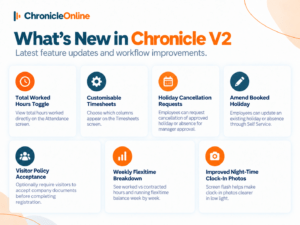
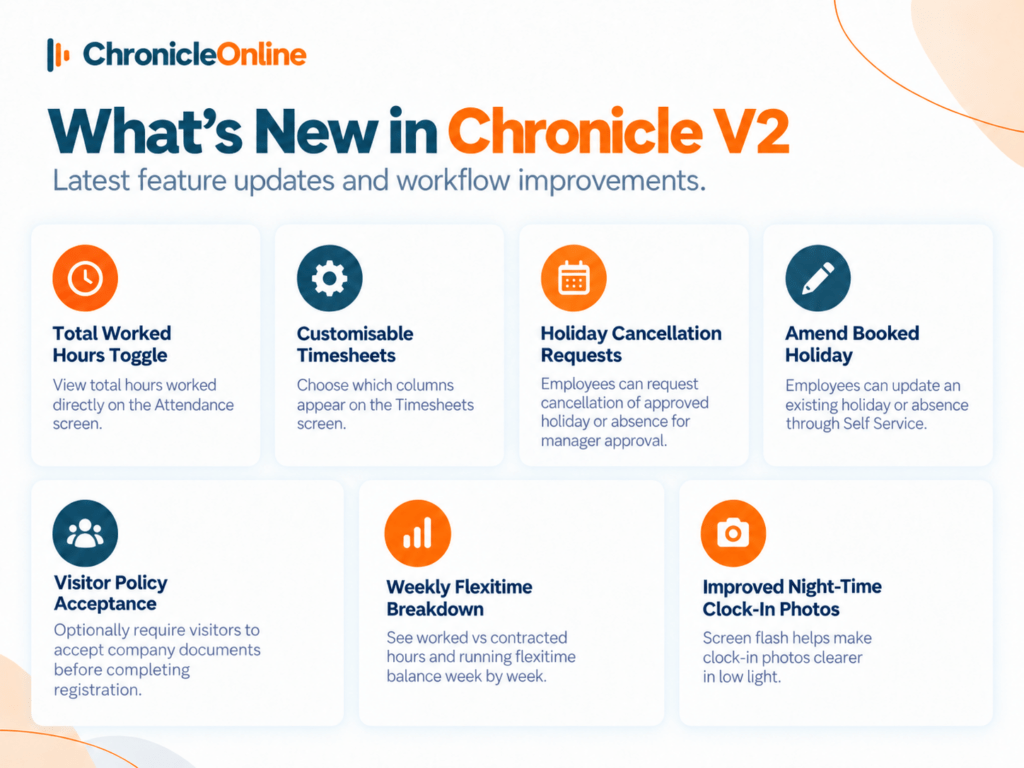
The latest updates include improvements to attendance, timesheets, holiday management, flexitime, visitor management, rota planning and clock-in photos.
Total Worked Hours on the Attendance Screen
Users can now display total worked hours directly on the Chronicle V2 Attendance screen.
A new toggle allows users to quickly show or hide the total number of hours worked. This provides a clearer overview of employee attendance without needing to navigate to another screen or report.
Customisable Timesheet Columns
The Timesheets screen in Chronicle V2 can now be customised to show the information that matters most to each user.
Users can select which available columns they want to display. This creates a cleaner, more personalised timesheet view and makes it easier to focus on the workforce information they need.
Holiday and Absence Cancellation Requests
Employees can now request the cancellation of an approved holiday or absence directly from their calendar.
When the feature is enabled in Company Settings, the booking remains in place and is marked as “Requested cancellation” until a manager reviews the request.
Managers can approve or decline cancellations from the Holidays Requested screen. Once approved, the booking is removed and the employee’s holiday balance is automatically updated.
This provides a clearer approval process and gives businesses greater control over changes to authorised leave.
Amend Booked Holidays Through Self Service
Employees can now amend an existing holiday or absence directly through Self Service, removing the need to cancel the booking and create a new one.
Employees can update the leave type, duration and custom start or end times.
If the original booking is still awaiting approval, the updated details remain pending for the manager to review. If the holiday has already been authorised, the change is submitted as an Amendment for manager approval.
While the request is waiting, the calendar displays “Requested amendment”. If the manager declines the change, the original approved holiday is automatically restored.
Visitor Policy Acceptance
The Chronicle Visitor App can now require visitors to read and accept important company documents before completing their registration.
Documents can include:
- Code of Conduct
- Site safety inductions
- NDAs
- Fire evacuation information
- Site policies
Visitors must open, review and confirm each required document before they can finish signing in.
This helps businesses ensure important information has been acknowledged before a visitor enters the site. Chronicle also keeps an auditable record of the documents accepted during registration.
If no documents are marked as required, visitor registration continues as normal.
New Weekly Flexitime Breakdown
Managers and employees can now view a clear week-by-week flexitime breakdown in Chronicle V2.
The new Weekly Breakdown screen shows worked hours against contracted hours, daily flexitime movement, flexi holidays, carried-forward balances, adjustments and the employee’s running flexitime balance.
Managers can access the breakdown from an employee’s Flexitime tab, while employees can view their own information through Self Service.
The screen is completely read-only, making it easier to investigate flexitime balances without working through a detailed clock card.
Improved Night-Time Clock-In Photos
Clock-in photos have also been improved for employees clocking in or out in low-light conditions.
A new screen flash briefly brightens the device when the clock-in photo is taken. This helps illuminate the employee’s face and produce clearer, more visible images.
The improvement makes clock-in photos easier for managers to review, particularly at night or in areas where lighting is limited.