Quick Answer
There isn’t a single “best” provider for every business, but the strongest online payroll software UK small businesses can pick will be HMRC-recognised, cloud-based, and able to talk to your existing time and attendance or HR tools. If your team works variable hours, look for a system that also supports flexi-time working, so hours worked, TOIL and pay stay in sync automatically. Chronicle Payroll is a solid example of a UK platform built with all of this in mind, but the right fit ultimately depends on your headcount, budget and pay frequency.
Running payroll used to mean spreadsheets, a shoebox of payslip stubs, and a slightly nervous wait to see whether the numbers matched HMRC’s expectations. Most UK small businesses have moved on from that. Today, payroll runs from a browser, updates in real time, and files directly with HMRC without anyone touching a calculator.
The trouble is that “online payroll software” has become such a broad label that it’s hard to know what actually separates a genuinely useful system from one that just moved the same old admin onto a screen. This guide walks through what matters, what it costs, and how flexi-time working fits into the picture for businesses whose staff don’t all clock in nine to five.
What Is Online Payroll Software, Exactly?
Online payroll software UK businesses use is, put simply, a cloud-hosted system that calculates wages, tax and National Insurance, produces payslips, and reports everything to HMRC through Real Time Information (RTI). Because it runs in the cloud rather than on a single office PC, whoever runs payroll can log in from anywhere, and updates to tax codes or legislation happen automatically in the background.
That’s the baseline. Where providers really start to differ is in how well they connect to the rest of your business your rota, your HR records, your accounting package and how much manual re-keying they save you each month. Some platforms, like Chronicle Online, run this as one connected suite: a native, HMRC-recognised payroll module built directly on top of the time and attendance system, so hours worked flow straight into pay with no separate export step. Chronicle also offers a white-labelled, fully integrated option through its Shape Payroll (CipHR) partnership for businesses that want a dedicated payroll bureau experience layered onto the same workforce data — worth knowing so you pick the setup that actually matches how your team wants to work.
Why UK Small Businesses Are Switching to Online Payroll Software
- Fewer manual errors: figures are pulled straight from timesheets rather than typed in twice.
- Built-in compliance: PAYE, National Insurance and pension auto-enrolment rules update themselves.
- Remote access payroll can be run, checked, or approved from home, a client site, or another office.
- Clearer costs: most platforms charge per employee, per month, so budgeting is straightforward.
- Faster onboarding: new starters and leavers are processed in minutes rather than a full afternoon.
Key Features to Look For in Payroll Software
Not every small business needs the same toolkit, but a handful of features consistently separate the providers worth shortlisting from the ones that will frustrate you by month three.
HMRC Recognition and RTI Submissions
This one is non-negotiable. Any online payroll software UK employers rely on needs to be officially HMRC-recognised, meaning it can file Full Payment Submissions and Employer Payment Summaries directly, without a separate portal.
Automated Pension Auto-Enrolment
The software should assess eligible staff, enrol them automatically, and handle opt-outs and re-enrolment cycles without you tracking dates in a separate spreadsheet.
Payslips and Employee Self-Service
A self-service portal lets staff download their own payslips, P60s and pension statements, which cuts down on the “can you resend my payslip” emails considerably. Chronicle’s Employee Self Servicing module handles this alongside holiday requests and roster visibility.
Integration With Time and Attendance and HR Records
Payroll is only as accurate as the hours feeding into it. Systems that connect directly to a time and attendance tool, and to your wider HR software, remove a huge chunk of manual data entry and reduce the risk of paying someone for hours they didn’t actually work. Chronicle also supports direct exports and integrations with third-party systems like Xero and Staffology for businesses that already run payroll elsewhere.
Support for Multiple Pay Frequencies and Flexi Time Working
If your business runs shifts, part-time contracts, or flexi time working arrangements, the software needs to cope with variable hours and different pay run frequencies (weekly, fortnightly, four-weekly and monthly) without extra manual setup each time.
At a Glance: Must-Have vs Nice-to-Have Features
Once you start comparing providers, it helps to sort features into what you genuinely can’t do without and what’s simply useful to have.
Must-haves
- HMRC recognition and RTI filing a legal requirement for accurate, on-time submissions.
- Cloud/browser access so payroll can be run from anywhere, on any device.
- Pension auto-enrolment keeps you compliant without manual tracking.
- Time and attendance integration removes manual re-keying of hours.
High priority
- Flexi-time working support handles variable hours, TOIL, and flexible contracts.
- Employee self-service portal reduces payslip queries and admin.
Nice-to-have
- Accounting software integration, such as Xero, keeps ledgers and payroll costs aligned automatically.
- Multi-site or multi-department reporting is useful once you grow beyond a single site.
Flexi Time Working and Payroll: Why the Two Need to Talk to Each Other
Flexi-time working gives employees control over when they start, finish or take breaks, provided they meet their contracted hours over a set period. It’s become increasingly common across UK small businesses as a way to support work-life balance without losing productivity.
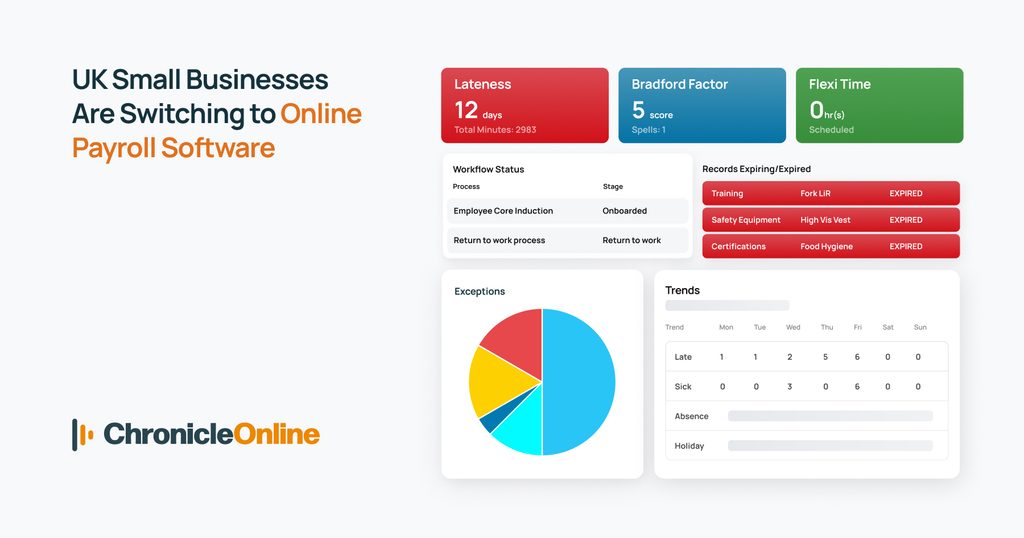
The catch is that flexi-time working only functions well when the hours actually worked are recorded accurately and fed straight into payroll. Manually tallying flexi credits and debits in a spreadsheet each month is exactly the kind of task that leads to underpaid overtime, disputed hours, or staff simply losing trust in the system.
What to look for:
- Automatic tracking of hours worked against contracted hours, with running flexi balances.
- Clear visibility for both managers and employees of accrued time off in lieu (TOIL).
- Direct data flow into payroll, so no one has to manually adjust pay for flexi arrangements.
- A dedicated flexi time system that sits alongside your payroll and time and attendance tools rather than as an afterthought.
Comparing Providers: What Actually Matters
Every payroll provider will claim to be simple, accurate and compliant. In practice, the differences show up in support, integrations and how the pricing scales as you grow. Before you sign up, it’s worth getting a straight answer on each of the following:
- Compliance: Is it HMRC-recognised? Does it handle auto-enrolment and RTI without needing extra add-ons?
- Integrations: Does it connect to the time and attendance, HR, and accounting software you already use?
- Scalability: Can it cope if you go from 10 to 100 employees, or add a second site?
- Support: Is UK-based support included, or is it an extra cost, or chatbot only?
- Pricing model: Is it per employee, per month, or a flat licence fee? What happens at renewal?
- Data security: Is the provider GDPR compliant, with encrypted storage and audit trails?
If you’re weighing this decision more broadly in-house vs. a bureau vs. software, our guide on in-house payroll vs outsourcing vs software breaks down the cost and control trade-offs of each route.
How Much Does Online Payroll Software Cost for UK Small Businesses?
Pricing varies more by feature set than by brand name, but as a rough guide for 2026, most small businesses will land in one of three brackets.
Very small teams doing basic, DIY payroll can often find something for free, or up to around £10 a month, covering payslips, RTI filing and basic reports. Standard small business plans, with auto-enrolment and a self-service portal included, typically run from £3 to £6 per employee, per month. Businesses that want a fully integrated workforce suite, combining payroll with time and attendance, HR and flexi-time working, tend to pay somewhere between £4 and £9 per employee, per month.
Businesses that already juggle separate spreadsheets for holidays, hours and payroll often find that an integrated suite costs little more than a standalone payroll tool once the time saved on admin is factored in. See our pricing page for a full breakdown.
Staying HMRC Compliant: RTI, P60s and Auto-Enrolment
Compliance is the one area where cutting corners genuinely isn’t worth it. A good online payroll software UK setup should handle the following without manual intervention each pay run:
- Full Payment Submissions (FPS) sent to HMRC on or before payday.
- Employer Payment Summaries (EPS) where deductions or adjustments apply.
- Automatic P60 generation at the end of the tax year.
- Pension auto-enrolment assessment, communications and re-enrolment every three years.
- Accurate tax code updates issued by HMRC throughout the year.
Conclusion
Choosing online payroll software UK-wide isn’t really about finding the flashiest interface; it’s about finding a system that files correctly with HMRC, keeps pace with your team’s actual working patterns, and doesn’t leave you re-entering the same numbers in three different places. For businesses with shift patterns or flexi-time working arrangements, that last point matters more than most providers let on.
Start by listing what you’re currently doing manually chasing hours, calculating flexi balances, matching payroll to your accounts and use that list to test any shortlisted provider. The right software should make that list noticeably shorter within the first month. You can see how this works in practice in our case studies, or start a free trial to try it against your own payroll.
Frequently Asked Questions
What is the best online payroll software for a UK small business?
There’s no single answer that fits every business, but the strongest options share three traits: HMRC recognition, cloud access from any device, and integration with your existing time and attendance or HR systems. Businesses with variable hours should also check for flexi-time working support specifically.
Is online payroll software HMRC-recognised by default?
Not automatically; always check. Software described as “HMRC-recognised” has been tested to file Full Payment Submissions and Employer Payment Summaries correctly. It’s worth confirming this directly on a provider’s website before signing up.
What is flexi time working, and does payroll software support it? Flexi time working lets employees vary their start and finish times around a core set of contracted hours, often building up or drawing down time off in lieu. Not all payroll tools handle this well; look for software with dedicated flexi time tracking that feeds directly into pay calculations, rather than requiring manual adjustments each month.
How much does payroll software cost for a small business in the UK? Costs typically range from a few pounds per employee per month for basic payroll, up to £4–£9 per employee for an integrated suite that also covers time and attendance and HR. Some providers offer free tiers for very small headcounts.
Can online payroll software integrate with accounting tools like Xero? Most established UK payroll platforms offer a direct Xero integration, syncing payroll costs and journals automatically so the accounts and payroll figures always match without duplicate data entry.
Do I need separate HR software, or can payroll handle everything?
Basic payroll software covers pay, tax, and pensions, but it won’t manage holiday requests, absence records, or right-to-work tracking on its own. Many small businesses find it more efficient to use a payroll tool that connects to dedicated HR software rather than trying to force one system to do both jobs.