| Quick AnswerIn-house payroll gives you full control but costs the most in staff time and training. Outsourcing to a bureau removes the admin burden, typically for around £4 to £12 per employee per month, but you lose day-to-day visibility. Online payroll software sits between the two: you keep control and cut costs, while automation handles HMRC submissions, tax codes and payslips for you. For most UK SMEs, especially those already tracking hours, overtime, and flexi-time, cloud-based payroll software integrated with time and attendance data is usually the most cost-effective and accurate option. |
At some point, every growing UK business hits the same wall: payroll has outgrown whoever’s been running it. Maybe it’s a spreadsheet held together with formulas nobody else understands, maybe it’s an accountant who’s started charging more each year, or maybe it’s simply that new starters, flexi time arrangements and shifting overtime rules have made the whole process harder to keep on top of.
At that point, three options usually land on the table: keep payroll in-house, hand it over to an outsourced bureau, or move to dedicated online payroll software. Each has a genuinely different cost profile, a different level of control, and a different amount of ongoing admin. There isn’t a single right answer for every business, but there is a right answer for yours, and it usually comes down to headcount, complexity and how much you value keeping data in-house.
This guide breaks down all three routes honestly, including where flexi time working and variable hours fit into the decision, so you can work out which one actually suits your business in 2026.
The Three Options, Side by Side
Before getting into detail, here’s the shape of the decision at a glance:
| Option | Typical Cost | Best For |
| In-house payroll | £30,000+ a year in salary, plus software and training | Larger businesses with dedicated payroll staff and complex needs |
| Outsourced bureau | Roughly £4–£12 per employee per month, plus setup fees | Businesses wanting to hand off compliance entirely |
| Online payroll software | Often £3–£10 per employee per month, no staff overhead | SMEs wanting control, automation and lower running costs |
Option 1: Running Payroll In-House
In-house payroll means a member of your team, an office manager, bookkeeper, or dedicated payroll administrator, runs the whole process internally: calculating pay, deducting tax and National Insurance, submitting Real Time Information to HMRC, and issuing payslips.
The upside
• Full control and visibility over every pay run.
• No third party handling sensitive salary data.
• Immediate answers for staff who query their pay.
• Easier to make last-minute changes before a run.
The downside
• A dedicated payroll administrator typically costs £20,000 to £30,000+ a year, before software or training.
• One person often holds all the institutional knowledge, which is a real risk if they leave or are off sick.
• Keeping up with HMRC rule changes (tax codes, National Insurance thresholds, statutory pay rules) falls entirely on you.
• Manual processes are more prone to error, and payroll mistakes are expensive and damaging to staff trust.
In-house payroll tends to make sense once a business is large enough to justify a dedicated role and has the internal expertise to keep pace with legislation. For smaller teams, it’s often the most expensive route once you account for salary, training and the time cost of getting it wrong.
Option 2: Outsourcing Payroll to a Bureau
Outsourcing means handing the entire process to an external payroll provider or accountant. They calculate pay, submit RTI to HMRC, issue payslips, and take on the compliance responsibility.
| Pricing Model | Typical UK Cost |
| Per employee per month (PEPM) | £4 – £12 per employee |
| Per payslip | £2 – £15 depending on service level |
| Setup fee | £30 – £150 |
| Minimum monthly fee (small teams) | £30 – £100+ |
The upside
• Compliance risk moves to the provider, reducing exposure to HMRC penalties.
• Frees up hours every month that would otherwise go on manual processing.
• Providers keep pace with legislation, tax code updates and statutory pay changes for you.
The downside
• You lose some day-to-day visibility and control over the process.
• Costs scale with headcount, and can rise further with complex pay structures, mid-month changes, or bonus runs.
• Ad hoc fees, leaver processing, off-cycle runs, year-end P60s, can add up beyond the headline price.
Option 3: Online Payroll Software
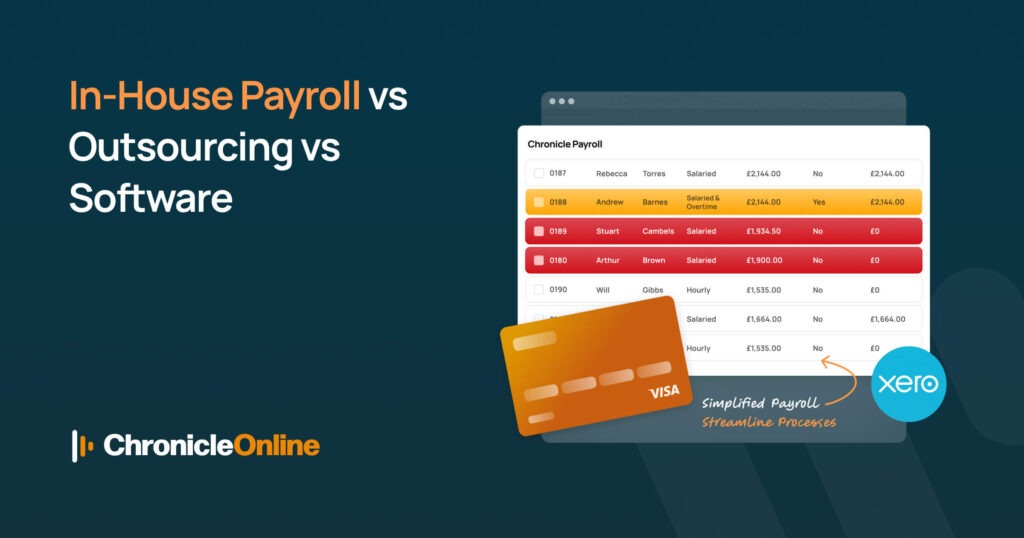
Online payroll software puts the process in your hands, without the manual admin of a spreadsheet-based system. You calculate pay, submit to HMRC, and issue payslips directly through the platform, with much of the compliance heavy lifting automated for you.
This is where the picture changes most for growing UK businesses. Modern online payroll software doesn’t operate in isolation; it pulls hours, overtime, holiday and sickness data directly from your time and attendance system, so payroll is built on real, verified figures rather than a spreadsheet someone updates manually at month-end.
The upside
• Generally the lowest ongoing cost of the three options, often £3–£10 per employee per month.
• You retain full control and visibility, without the internal salary overhead.
• Automated HMRC submissions, tax code updates and payslip generation reduce manual error.
• Integrates directly with time and attendance data, so overtime, absence and flexi time working feed straight into pay runs.
The downside
• Someone in the business still needs to check and approve each pay run.
• You’re responsible for staying broadly aware of legislative changes, even if the software applies them.
• Complex multi-site or multi-currency businesses may need a more advanced (and pricier) tier.
Chronicle Online takes this further through its Shape Payroll integration, which connects time and attendance data directly to a fully-featured payroll engine, covering tax settings, pension calculations, CIS deductions and full HMRC integration, so hours worked and pay processed always match.
Where Flexi Time Working Fits Into the Decision
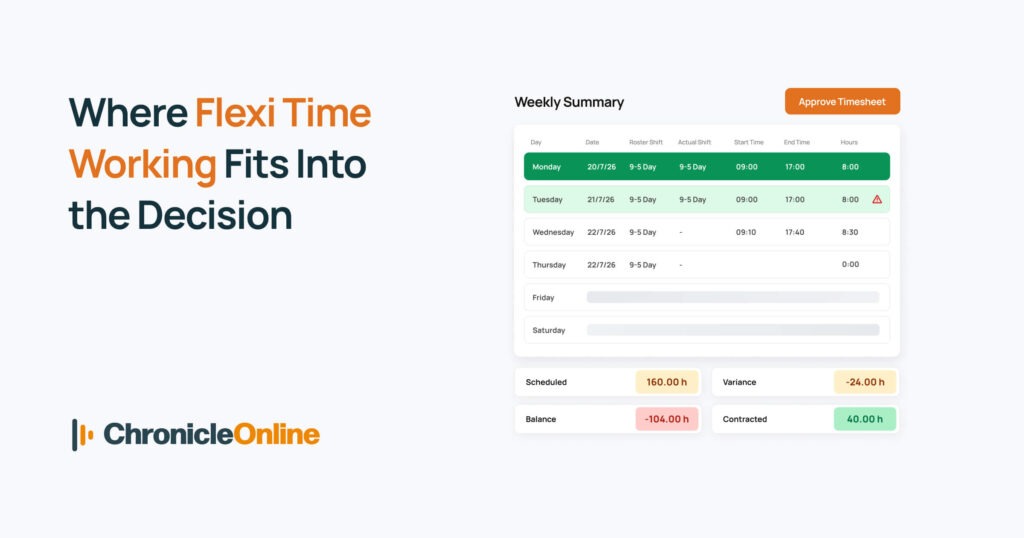
Flexi time working, where employees choose their own start and finish times within agreed bandwidths and core hours, has become one of the most requested benefits in UK workplaces. It’s also one of the biggest sources of payroll error when it isn’t tracked properly.
Flexi time typically works alongside TOIL (time off in lieu): employees bank extra hours worked and take the time back later rather than being paid overtime. None of this is specifically governed by UK legislation, but the Working Time Regulations 1998 still apply, meaning employers must keep accurate records of hours worked and rest periods, regardless of how flexible the arrangement is.
Why this matters for your payroll choice
• Manually tracking flexi credit and debit balances across a team is time-consuming and error-prone.
• Payroll needs an accurate, real-time picture of contracted vs. actual hours to stay compliant with National Minimum Wage checks.
• Without clear records, flexi time and TOIL disputes become a genuine legal risk, not just an admin headache.
This is exactly the gap that time and attendance software with built-in flexi-time rules is designed to close: live balances, configurable bandwidth and core hours, and automatic feeds into payroll so nobody is reconciling flexi credits by hand at the end of the month.
Making the Right Call for Your Business
There’s no universal winner here, but a few practical rules of thumb help most UK businesses land on the right option:
1. Under 20 staff, straightforward pay structure: online payroll software is usually the most cost-effective route.
2. Growing fast, limited internal HR capacity: outsourcing removes the compliance burden while you scale.
3. Large workforce, dedicated HR/payroll team already in place: in-house may remain viable, provided it’s backed by proper software rather than spreadsheets.
4. Any flexi time, overtime, or shift-based working: prioritise whichever option integrates cleanly with your time and attendance data.
5. Multiple sites or complex pay rules: look for software or a bureau with proven multi-site experience.
It’s also worth checking how any option pairs with wider workforce tools you already use, or plan to use, such as HR software for managing employee records, appraisals and onboarding alongside payroll. Keeping these systems connected avoids the duplicate data entry that causes most payroll errors in the first place. If you’re still weighing up the details, our FAQ page answers common questions on integrations, multi-site support and implementation timelines.
Conclusion: Match the Option to Your Reality, Not Just the Price Tag
In-house payroll, outsourcing and online payroll software all do the same fundamental job: getting your people paid correctly and on time. What separates them is who carries the workload, who carries the risk, and how much it genuinely costs once every hour of admin is accounted for.
For most UK SMEs in 2026, especially those managing overtime, shift patterns or flexi time working, online payroll software offers the best balance: lower cost than outsourcing, far less admin than doing it manually, and none of the single-point-of-failure risk that comes with one person holding all the payroll knowledge in their head.
Whichever route you’re leaning towards, the real test is simple: can the system show you, at a glance, exactly what every employee is owed, based on hours they actually worked? Get that right, and the rest of payroll becomes far easier to manage.
Frequently Asked Questions
Q: Is online payroll software cheaper than outsourcing?
Generally, yes. Online payroll software usually costs £3–£10 per employee per month, slightly less than the £4–£12 typical of outsourced bureaus, and you avoid the internal salary cost of running payroll manually. The trade-off is that someone in your business still needs to check and approve each run, rather than handing it off entirely.
Q: What are the most common payroll mistakes small business owners make?
The most frequent errors involve misclassifying overtime and flexi time hours, missing HMRC filing deadlines, incorrect tax code updates, and manually re-keying hours from timesheets into payroll rather than pulling verified data directly from a time and attendance system. Most of these are avoidable with automated software that connects hours worked directly to pay runs.
Q: Do I need special software to manage flexi time working?
You don’t strictly need it, but it makes a real difference. Flexi time and TOIL balances change constantly, and tracking them on a spreadsheet quickly becomes unreliable. Dedicated time and attendance software with flexi-time rules keeps live, accurate balances that feed straight into payroll, reducing the risk of underpaying or overpaying staff.
Q: Can I switch from an outsourced bureau to payroll software without disruption?
Yes, most businesses can switch between pay periods with the right planning. You’ll typically need your most recent P11, P45 and year-to-date figures from your previous provider. Reputable payroll software providers, including Chronicle Online’s integrations, offer guided onboarding to make sure historic data transfers correctly.
Q: Is in-house payroll ever the right choice for a small business?
It can be, but it’s less common for very small teams once you factor in the true cost: a payroll administrator’s salary, ongoing training on HMRC changes, and the software licence itself. For most businesses under 20–30 staff, outsourcing or online payroll software works out more cost-effective and lower-risk.
Q: Does payroll software handle pensions and statutory pay automatically?
Good UK payroll software should handle auto-enrolment pension calculations, statutory sick pay, maternity and paternity pay, and standard HMRC submissions (FPS/EPS) automatically. It’s worth confirming this coverage before choosing a provider, since manual pension administration is one of the more time-consuming parts of running payroll.