Quick Summary
- Manual rotas typically cost 150+ hours a year in admin time for a 20-person team
- Spreadsheets can’t flag scheduling conflicts, rest-break breaches, or overtime risk in real time
- Scheduling software connects directly to time and attendance and payroll systems, removing double data entry
- Businesses using job costing features get live visibility into labour costs per project or site
- Most businesses recover the software cost within a few months through time savings alone
If you’re still building your weekly rota in Excel, you already know the drill. Someone calls in sick at 7am, three tabs get out of sync, and by the time the updated version reaches the team WhatsApp group, half of them have already seen the old one. It works until it doesn’t.
Across the UK, more small and mid-sized businesses are moving away from spreadsheets and adopting dedicated workforce management system software. Not because spreadsheets are “bad,” but because the hidden costs of manual scheduling add up faster than most managers realise. This guide breaks down exactly where those costs come from, and what switching to proper scheduling software actually saves you in hours and in pounds.
Why This Comparison Matters Right Now
Labour costs in the UK have risen sharply following recent National Living Wage increases, and HMRC scrutiny on accurate time records has tightened. Businesses running hospitality, retail, care, and logistics teams are under more pressure than ever to get scheduling right the first time. A spreadsheet doesn’t flag a compliance risk. Software does.
The Real Cost of Spreadsheet Scheduling
Spreadsheets feel free because there’s no subscription fee. But “free” ignores the time your managers spend building, checking, and re-checking rotas by hand.
1. Time Spent Building Rotas
A manual rota for a 20-person team typically takes 3–5 hours a week to build, adjust for availability, and re-issue after last-minute changes. Multiply that across 52 weeks and you’re looking at over 150 hours a year of time that could go toward actual management work.
2. Human Error and Double Bookings
Spreadsheets don’t warn you when two shifts overlap, when someone’s booked annual leave clashes with a shift, or when a staff member is scheduled without the required rest period under the Working Time Regulations. These errors are usually caught only after they’ve caused a problem.
3. Communication Gaps
Once the rota changes, someone has to manually notify every affected employee. Missed messages lead to no-shows, which lead to last-minute cover scrambles often at higher cost.
4. No Real-Time Attendance Data
A spreadsheet tells you what was planned. It doesn’t tell you who actually clocked in, who was late, or where overtime is creeping up. That’s where pairing scheduling with time and attendance software closes the gap spreadsheets simply can’t.
What Scheduling Software Actually Changes
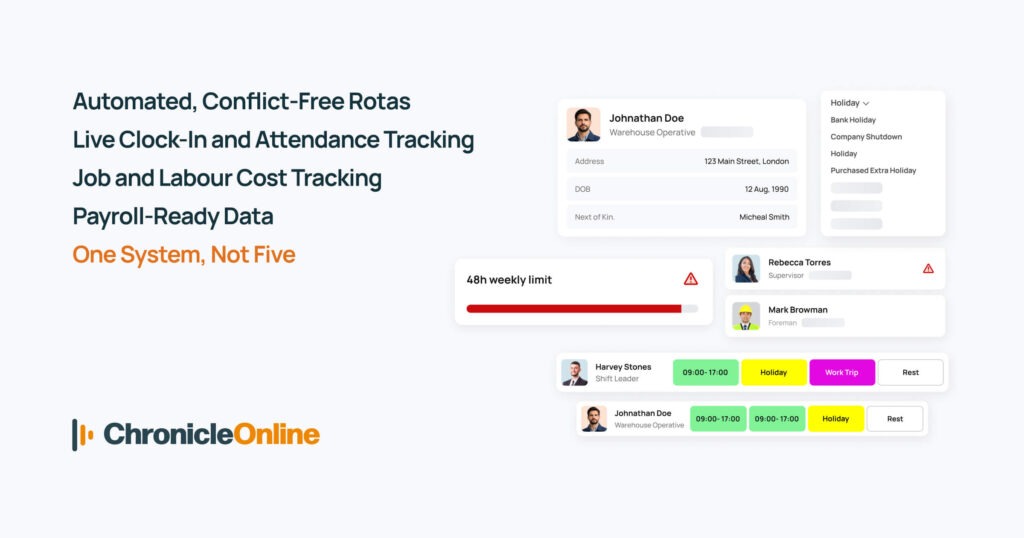
Automated, Conflict-Free Rotas
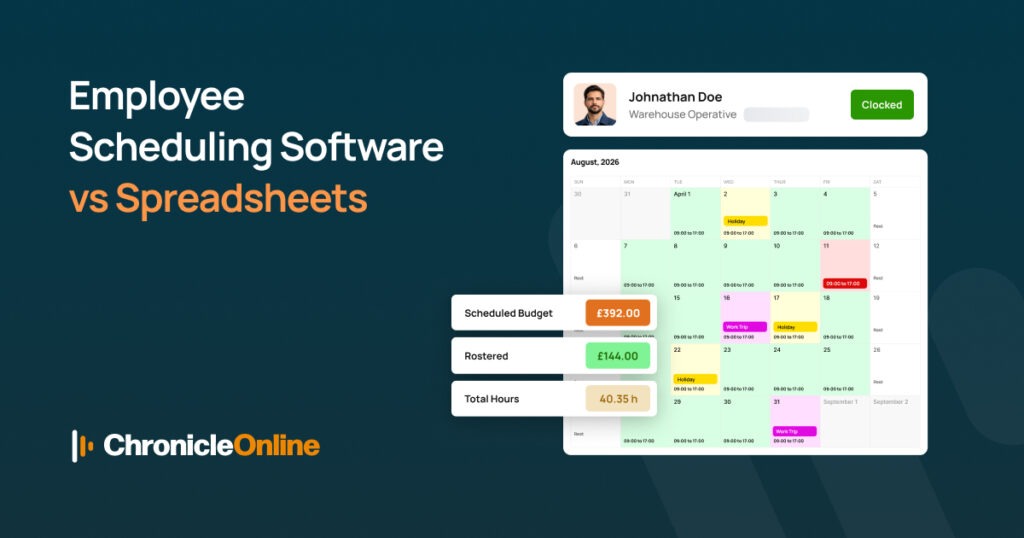
Modern time and attendance software UK businesses use can auto-generate shift patterns based on availability, skills, and legal rest requirements flagging conflicts before they become problems.
Live Clock-In and Attendance Tracking
Instead of guessing who’s on-site, managers get real-time visibility. This also feeds directly into payroll, removing the need for manual timesheet entry.
Job and Labour Cost Tracking
For businesses that bill by project or site, integrated job costing software features let you see labour costs against specific jobs as they happen not weeks later when the invoice is already sent.
Payroll-Ready Data
This is where the real time saving shows up. Good scheduling platforms sync directly with online payroll software UK systems, so hours worked flow straight into pay runs without manual re-entry, cutting payroll processing time significantly and reducing costly pay errors. This also removes many of the manual entry slip-ups covered in our guide to common payroll mistakes UK small businesses make.
One System, Not Five
Many UK businesses now run scheduling, attendance, job costing, and payroll under a single connected HR software solution, rather than juggling a spreadsheet, a separate clock-in app, and manual payroll uploads.
Time & Cost Comparison at a Glance
| Task | Spreadsheets | Scheduling Software |
| Building weekly rota | 3–5 hours | Under 30 minutes |
| Fixing scheduling conflicts | Manual, reactive | Automatic alerts |
| Tracking attendance | Separate/manual | Real-time, built-in |
| Payroll data entry | Manual re-entry | Automatic sync |
| Compliance risk (WTR, rest breaks) | High | Flagged automatically |
| Approx. annual admin time (20 staff) | 150+ hours | 20–30 hours |
The time saved alone often pays for the software subscription within the first few months before even factoring in fewer scheduling errors and reduced overtime costs.
Who Benefits Most From Making the Switch
- Hospitality and retail businesses with variable shift patterns and high staff turnover
- Care providers needing accurate, auditable attendance records
- Construction and trades businesses that need job costing tied to labour hours
- Multi-site operators managing several rotas at once, where spreadsheets become unmanageable
FAQs
Is scheduling software worth it for a small team?
Even teams of 5–10 staff often save several hours a week once rota-building and shift communication are automated, making it worthwhile well before you reach larger headcounts.
Does scheduling software replace payroll software?
No, it works alongside your online payroll software UK system, syncing hours worked so you’re not manually re-entering timesheets each pay run.
Can scheduling software track labour costs by job or site?
Yes, platforms with job costing software features let you see real-time labour spend against specific jobs, not just overall payroll totals.
How does this help with UK compliance?
Good workforce management systems flag Working Time Regulation risks, such as insufficient rest periods, before shifts are published — something spreadsheets can’t do.
Is switching from spreadsheets difficult?
Most cloud based payroll software and scheduling platforms offer guided data imports, so existing staff details and rota patterns can be moved across in hours, not weeks.
Ready to Ditch the Spreadsheet?
If rota-building is eating into your week and payroll errors keep creeping in, it might be time to see what a connected workforce management system software platform can do for your business. Book a free demo today and see how much time your team could get back.
Related reading: Common Payroll Mistakes UK Small Businesses Make (and How to Avoid Them) — see how connected scheduling and payroll data prevents the errors that cost businesses the most.