Quick Summary
Last-minute shift changes are one of the biggest headaches for UK employers, especially in retail, hospitality, healthcare and manufacturing. A sick call-out, a no-show, or a sudden spike in demand can throw an entire rota into disarray within minutes. The good news is that chaos isn’t inevitable. With a clear escalation process, transparent communication, and the right time and attendance solution in place, businesses can absorb last-minute changes smoothly, stay compliant with UK working time rules, and keep staff morale intact. This article walks through practical, human-centred strategies for managing shift changes calmly, along with how modern HR software solution platforms and biometric time clock systems make the whole process far less painful.
Why Last-Minute Shift Changes Happen
Before fixing the chaos, it helps to understand where it comes from. In most UK workplaces, last-minute changes are triggered by:
- Sudden staff illness or emergencies
- No-shows with little or no warning
- Unexpected surges in customer demand (weather, events, seasonal peaks)
- Annual leave clashes or forgotten bookings
- Equipment failures or supply issues that shift priorities
- Compliance issues, such as a worker approaching their maximum weekly hours under the Working Time Regulations 1998
None of these are entirely avoidable. The goal isn’t to eliminate last-minute changes altogether, it’s to build a system that absorbs them without disrupting the whole team.
The Real Cost of Poorly Managed Shift Changes
When shift changes are handled badly, the impact goes well beyond one awkward morning. UK managers frequently report:
- Understaffing risks that affect customer service and safety
- Overworked staff picking up extra shifts too often, leading to burnout
- Payroll errors from manually tracking swapped or covered hours
- Compliance gaps, particularly around rest breaks and the 48-hour average working week
- Falling morale, as employees feel changes are chaotic or unfair
This is exactly where a proper time and attendance solution earns its keep; it gives managers real-time visibility into who’s working, who’s available, and who’s already close to their hours cap, so decisions are made based on facts rather than guesswork.
Step 1: Build a Clear Shift Change Policy
Chaos usually starts with ambiguity. If staff don’t know the process for requesting or covering a shift, everyone improvises — and improvisation under pressure rarely goes well.
A solid shift change policy should cover:
- How much notice is needed for a shift swap request (even if it’s short notice, define what “short notice” means)
- Who has final approval team leader, shift supervisor, or an automated system
- How last-minute sickness or emergency absences should be reported
- What happens if no cover is found in time
- How overtime or premium pay applies to last-minute cover, in line with the employment contract
Once this is documented and shared, employees have a clear path to follow instead of guessing or going straight to a frantic group chat. Tools like shift swap functionality built into your rostering system make the policy easy to follow in practice, not just on paper.
Step 2: Create a Ready Pool of Flexible Staff
Many UK businesses now keep a small pool of employees who’ve opted in to pick up extra or last-minute shifts sometimes called a “bank” of flexible workers. This could include:
- Part-time staff wanting extra hours
- Staff on flexible or zero-hours contracts (used carefully and fairly, in line with the Employment Rights Act provisions)
- Cross-trained employees who can cover multiple roles
- Staff who’ve explicitly agreed to be contacted for cover shifts
Having this pool ready means managers aren’t scrambling to call round the whole team every time someone drops out. Checking employee availability at a glance, rather than phoning round, is one of the fastest ways to close a gap.
Step 3: Use Technology to Remove the Guesswork
This is where most of the “chaos” genuinely disappears. Manually tracking who’s working, who’s owed hours, and who’s hit their weekly limit is nearly impossible to do accurately by memory or spreadsheet especially across multiple sites. If your team is still relying on spreadsheets, it’s worth reading how scheduling software compares to spreadsheets for UK businesses.
A modern HR software solution typically allows managers to:
- Instantly see live staffing levels across every shift and location
- Push open shifts to eligible staff automatically, based on availability and skills
- Track approvals and swaps digitally, with a clear audit trail
- Flag compliance risks, such as insufficient rest between shifts
- Automate notifications so staff are alerted the moment a shift becomes available
- Manage overtime resourcing and keep it within a defined rota budget
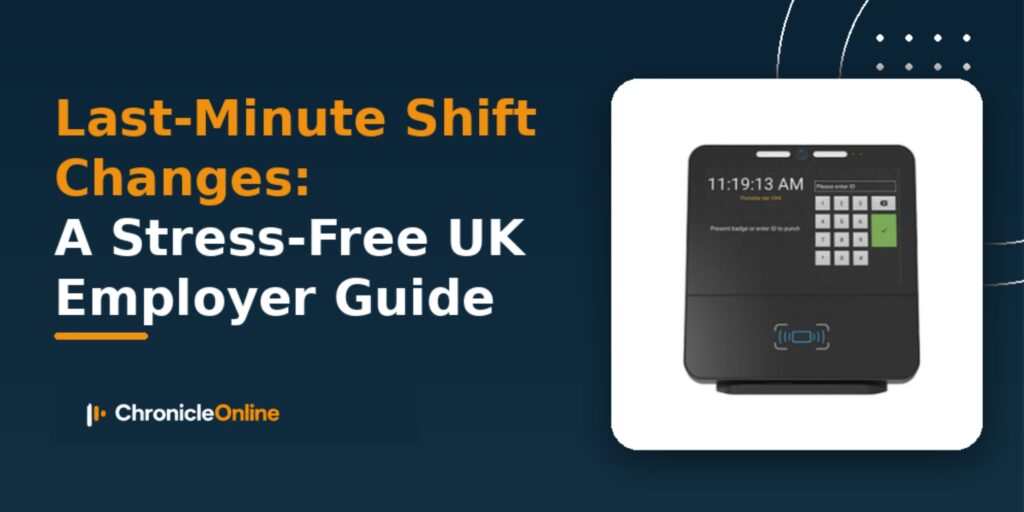
Pairing this with biometric time clock systems adds another layer of accuracy. Instead of relying on manual sign-in sheets or buddy clocking (where one employee clocks in for another), biometric systems using fingerprint or facial recognition confirm exactly who is on-site and when. This is particularly valuable during last-minute changes, when confusion about who actually turned up is common. If you’re weighing up options, our comparison of fingerprint vs facial recognition vs mobile app clocking breaks down which method suits different types of workplace.
Step 4: Communicate Changes Clearly and Fast
Even with great systems, communication style matters. When a shift changes suddenly, staff want:
- Speed – a quick heads-up beats a delayed, over-explained message
- Clarity – exactly what’s changing, when, and what’s expected of them
- Fairness – a transparent reason, not vague or dismissive explanations
- A single source of truth – one rota, updated live, rather than several versions floating around on paper, WhatsApp and email
Group messaging apps can work for very small teams, but they quickly become unmanageable once shift patterns get complex. A centralised system, such as simplified rostering tools with built-in notifications, avoids duplicate or conflicting information, which is one of the fastest ways chaos spreads.
Step 5: Debrief and Improve
After a chaotic shift change, it’s worth a short review:
- Did the policy actually get followed?
- Was the cover found quickly enough?
- Did anyone go over their legal working hours limit?
- Was the change fairly distributed, or did the same few people always get called?
- Are patterns in holiday, sickness and absence contributing to the disruption?
Feeding this back into your time and attendance solution’s reporting helps spot patterns for example, if Friday evenings consistently need more flexible cover, you can plan ahead rather than reacting each week.
Bringing It All Together
Last-minute shift changes will always happen. That’s the nature of running a business with real people, real illnesses, and real demand fluctuations. What separates a smooth adjustment from full-blown chaos is preparation: a clear policy, a ready pool of flexible staff, honest communication, and the right technology backing it all up.
Investing in a reliable HR software solution, supported by accurate biometric time clock systems and a dependable time and attendance solution, doesn’t just reduce admin it protects compliance, improves fairness, and keeps your team’s trust intact, even when the rota has to change at the eleventh hour. If you’re just getting started, our guide on how to choose HR software for small UK businesses is a good next step.
FAQs
1. What counts as a “last-minute” shift change in the UK?
There’s no single legal definition, but most employers treat anything with less than 24-48 hours’ notice as last-minute. It’s best to define this clearly in your own shift change policy so staff and managers are working to the same standard.
2. Do employees have to accept a last-minute shift change?
It depends on their contract. Employees on fixed-hours contracts generally can’t be forced to work hours outside their agreed terms, while those on flexible or zero-hours contracts may have more flexibility, but still can’t be pressured unfairly. Always check individual employment contracts.
3. How can a time and attendance solution reduce shift change chaos?
It gives managers live, accurate data on staffing levels, hours worked, and availability, so cover decisions are based on real numbers rather than guesswork cutting down on double-booking, compliance breaches, and confusion.
4. Are biometric time clock systems legal in the UK?
Yes, but they must comply with UK GDPR, since biometric data is classed as special category data. Employers need a clear lawful basis, a privacy notice, and appropriate consent or contractual justification before rolling out biometric clocking.
5. What’s the easiest way to notify staff about a sudden shift change?
A centralised HR software solution with push notifications or an app-based rota is generally faster and more reliable than group chats or phone calls, and it keeps a clear record of who was informed and when.